
What to Expect From Online Proctored Exams in 2026
Online proctored exams are now standard in distance learning. Here is what to expect, from ID checks to room scans, plus tips to avoid flags.

By James Miller
Picture this: you have studied for weeks, your notes are organized, and your practice quizzes are looking solid. Then you sit down for the real thing, and a small window pops up asking you to show your room, your ID, and your desk before the first question even loads. For a growing number of students in online degree programs, this is the new normal. Online proctored exams are now a standard part of distance learning, and knowing what happens before, during, and after the session can mean the difference between a calm test day and a stressful one.
The stakes are higher than most students realize. Institutions use proctoring to protect the value of the credentials they award, which means your diploma carries more weight when employers know the assessments behind it were legitimate. According to research on academic integrity, unproctored online exams can see cheating rates climb significantly compared to supervised settings, which is why schools have invested heavily in remote monitoring technology. Understanding the process is not just about avoiding penalties. It is about walking into your exam with confidence, the right setup, and a clear plan for handling anything that goes wrong.
Why Online Proctored Exams Became the Standard
When the pandemic pushed millions of students online, colleges faced a difficult problem. How do you verify that the person taking an exam is the person who enrolled in the course? Early solutions were clunky, but the technology matured quickly. Today, online proctored exams are used across nursing programs, business schools, IT certifications, and even law school admissions tests. Employers and licensing boards increasingly expect that online credentials were earned under verifiable conditions, which has made proctoring a selling point rather than a burden.
There is also a practical side. Proctoring allows schools to offer exams at any hour, across time zones, without requiring students to drive to a testing center. For working adults, parents, and military learners, that flexibility is often what makes an online degree possible in the first place. If you are exploring degree options, resources that explain college degrees and higher education pathways can help you compare programs and understand how assessments fit into the overall structure.
The trade-off is that you, the student, take on more responsibility for your testing environment. The school provides the software and the rules, but you provide the quiet room, the working webcam, and the stable internet connection. That shift is why preparation matters so much. A technical hiccup at the wrong moment can derail an exam, but a little planning almost always prevents it.
Types of Proctoring You Might Encounter
Not all proctored exams work the same way. Before your test day, check your syllabus or course portal to find out which model your school uses. The format affects everything from how you dress to whether you can leave your seat mid-exam.
- Live proctoring: A real person watches you in real time through your webcam and can pause or stop the exam if something looks wrong.
- Record-and-review: Software records your screen, webcam, and audio, and a proctor reviews the footage later or flags suspicious moments for human review.
- AI-assisted proctoring: Algorithms track eye movement, background noise, and other signals, then flag anomalies for a human to verify.
- Lockdown browser only: You install software that blocks other applications and websites, but no human or AI actively watches you.
Each type has different rules. A live proctored exam might require you to keep your hands visible on camera at all times, while a record-and-review session may simply require you to stay in frame. AI-assisted systems sometimes flag normal behaviors like looking away to think, so it helps to know in advance how sensitive the system is and what triggers a review.
Some schools combine methods. You might start with an AI scan of your room, then move to a lockdown browser during the exam, and finish with a human review of flagged moments. Understanding the combination your school uses lets you prepare appropriately instead of guessing.
The Step-by-Step Experience of a Proctored Exam
Most online proctored exams follow a predictable sequence. Knowing the steps in advance removes the element of surprise and helps you focus your energy on the questions themselves.
- System check and software download: Days before the exam, you run a compatibility test to confirm your webcam, microphone, browser, and internet speed meet requirements.
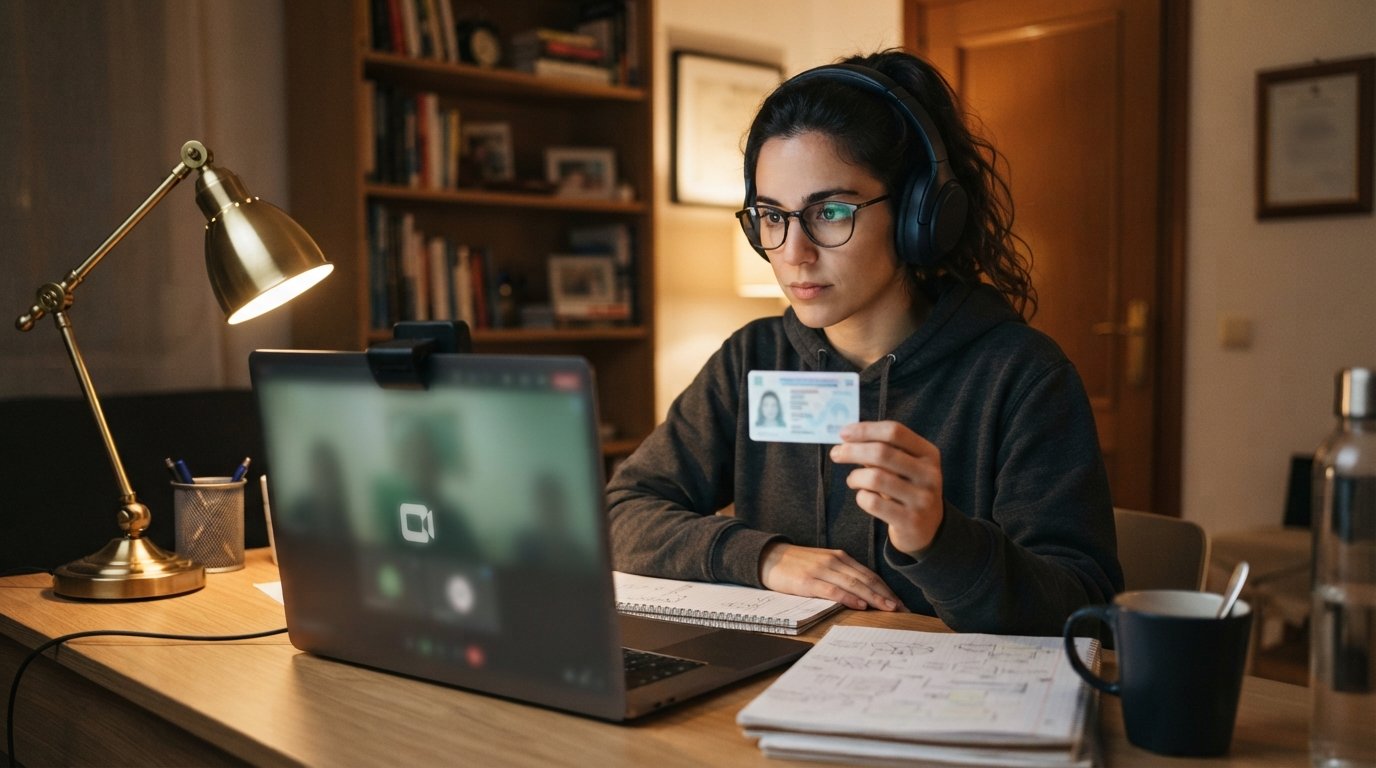
- Identity verification: On exam day, you show a government-issued photo ID, sometimes hold it up to the camera, and answer security questions.
- Room scan: You slowly pan your webcam around the room, showing your desk, walls, floor, and any space within reach.
- Environment lockdown: The proctoring software takes control of your browser, closes other applications, and may disable copy-paste functions.
- Exam session: You complete the test while the software or a live proctor monitors your behavior.
- Submission and exit: You submit your answers, confirm the session ended properly, and receive any immediate instructions about results.
The room scan surprises many first-timers. You may be asked to show under your desk, remove items from your walls, or cover a second monitor with a towel. These requests are not accusations. They are standard procedure designed to create a level playing field for everyone. Cooperating calmly and following instructions exactly keeps the process moving and avoids flags on your record.
Technical requirements vary by school, but most demand a webcam with at least 720p resolution, a microphone, a reliable connection of 1 to 2 Mbps upload speed, and a computer that meets minimum operating system standards. Chromebooks and tablets are sometimes incompatible, so verify your device early. If you need to upgrade your setup, your school's IT help desk can often recommend affordable options.
Common Rules and What Gets Students Flagged
Every proctored exam has a rule set, and the most common violations are rarely intentional. Students get flagged for things like reading questions aloud, adjusting their camera without permission, or having a phone buzz in another room. Understanding the rules before exam day helps you avoid these pitfalls.
Typical restrictions include no talking, no leaving the camera frame, no second screens, no notes or textbooks unless the exam is open-book, no smart watches, and no other people in the room. Some systems also prohibit background noise above a certain threshold, which means a barking dog or a roommate's conversation can trigger a review. If you live in a noisy environment, plan ahead by booking a quiet space, using a white noise machine outside the room, or scheduling your exam during a quiet time of day.
Here is a practical checklist for setting up a compliant testing space:
- Clear your desk of everything except approved materials, your ID, and your computer.
- Turn off phones, smart speakers, and any device that might make noise or connect to the internet.
- Close curtains or blinds if windows might create glare or show movement outside.
- Tell household members about your exam time and ask for uninterrupted quiet.
- Test your lighting so your face is clearly visible, not backlit or in shadow.
If you are flagged during an exam, do not panic. Most flags are reviewed by a human who can see context. A single glance away from the screen is rarely a problem. Repeated patterns of suspicious behavior are what trigger consequences. Staying calm, following instructions, and communicating with your proctor if something goes wrong are your best defenses.
How to Prepare So Exam Day Runs Smoothly
Preparation for a proctored exam starts well before the test itself. The students who struggle most are often the ones who treated the proctoring setup as an afterthought. A few hours of advance work can eliminate most technical and procedural problems.
Start with a full system check at least three days before your exam. Run your school's compatibility tool, update your browser, restart your computer, and confirm your webcam and microphone work in a video call. If your school requires a specific lockdown browser, install it early and open it once to make sure it launches correctly. On exam day, log in 15 to 30 minutes early to allow time for identity verification and any unexpected delays.
It also helps to understand how your exam fits into your broader academic plan. If you are pursuing an online MBA or another professional degree, for example, guides such as this overview of the Wharton University Online MBA can show you how assessments, residencies, and coursework fit together. Knowing the big picture reduces anxiety and helps you treat each proctored exam as one step in a longer journey rather than a make-or-break event.
Finally, practice under realistic conditions. Take a timed practice quiz with your webcam on and your room set up the way it will be on exam day. This rehearsal exposes small issues, like a chair that squeaks or a lamp that creates glare, while you still have time to fix them.
What Happens After the Exam
Once you submit your answers, the proctoring session usually ends, but the review process may continue. Record-and-review systems often send footage to reviewers who check for anomalies. If your session is flagged, you may receive an email asking for clarification, or your school may open an academic integrity review. Most flags are resolved quickly when students respond honestly and promptly.
Results timelines vary. Some exams score instantly, while others take days or weeks, especially if a human review is required. If your school uses proctoring data as part of accreditation or licensing requirements, your results may also be reported to an external body. In nursing and healthcare programs, for instance, proctored exams often serve as proof that graduates met competency standards before sitting for licensure.
If something goes wrong during your exam, document it. Note the time, what happened, and any error messages you saw. Contact your instructor or the proctoring support team as soon as possible. Schools are generally understanding when students communicate proactively, and many have procedures for retaking exams when technical failures are verified.
Managing Stress and Building Confidence
Proctored exams add a layer of pressure that traditional exams do not have. You are being watched, recorded, and evaluated on both your knowledge and your compliance with rules. That can feel intrusive, especially for students who are used to testing in familiar classrooms. Recognizing this feeling is the first step toward managing it.
Focus on what you can control: your preparation, your environment, and your responses to instructions. You cannot control whether the software glitches or whether a neighbor starts mowing the lawn, but you can control how you react. Proctors are trained to distinguish between technical problems and intentional cheating, and most are patient with students who stay calm and ask for help.
It also helps to remember why proctoring exists. It protects the value of your degree, ensures that your hard work is measured fairly against others, and gives employers confidence in the credentials you earn. Students who approach proctored exams as a normal part of online learning tend to perform better than those who view them as an obstacle.
Online proctored exams are here to stay, and for good reason. They make rigorous assessment possible in flexible, remote programs that serve students who could not otherwise pursue their degrees. With the right setup, a clear understanding of the rules, and a calm approach on exam day, you can turn proctoring from a source of anxiety into just another routine step on your path to graduation.